Top-level tabs
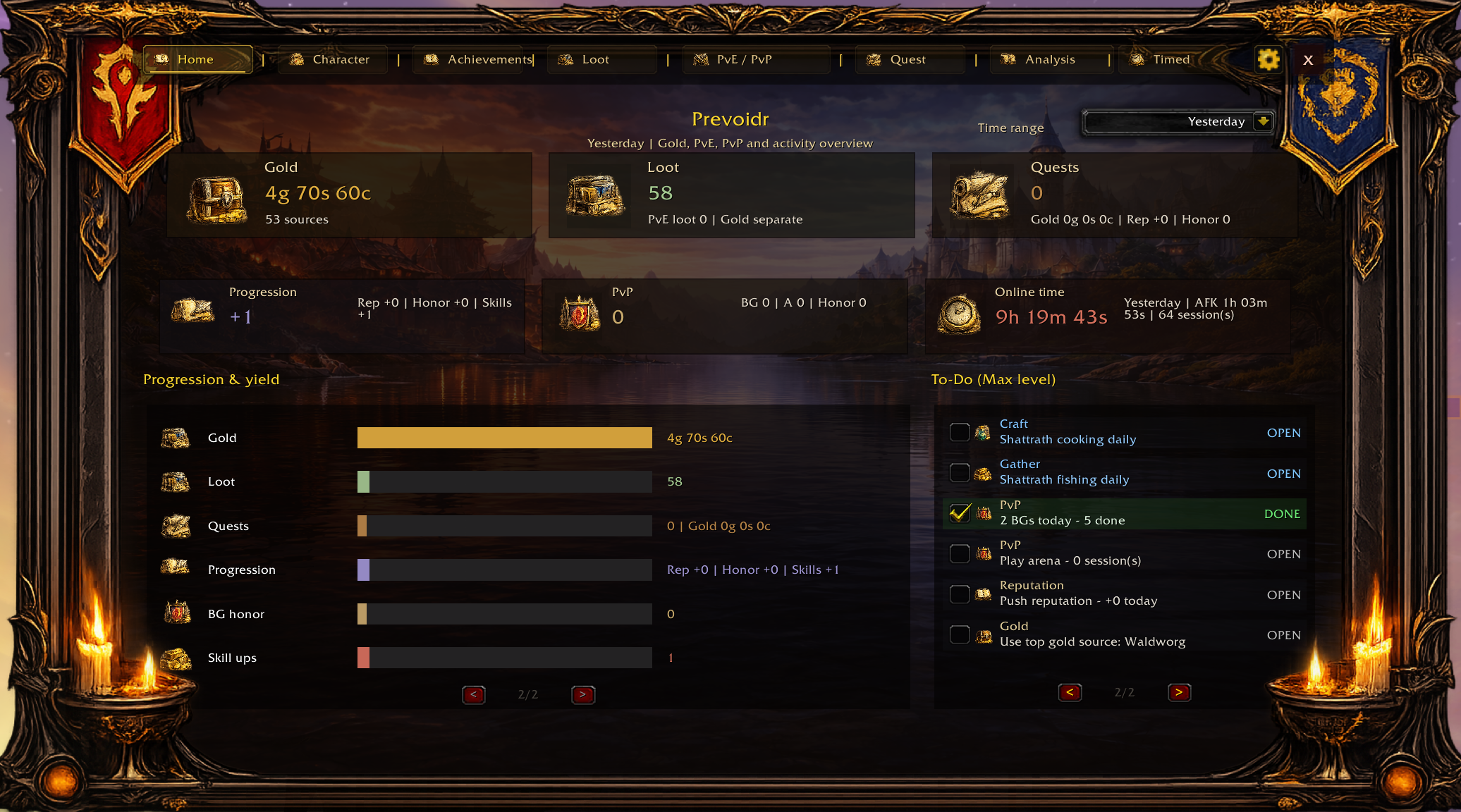
The top-level pages each cover a different part of the addon. They are separate working areas, not just cosmetic labels.
- Home: Combined summary of economy, progression, quests, PvP, online time and todo guidance.
- Character: Character-oriented state and profile-level information.
- Achievements: Goal and milestone tracking across multiple categories.
- Loot: Loot sessions, loot history and source-aware item or money events.
- PvE / PvP: Combat views, fight lists and detail pages for PvE and PvP contexts.
- Quest: Quest-related tracking and daily relevance.
- Analysis: Efficiency and stats views, including economy-oriented summaries.
- Timed: Timed or historical activity views stored in dedicated history structures.
Filters matter more than new users expect
The same tab can look very different depending on the active filter. In practice, good reading comes from understanding which slice of your play session is on screen.
- Time filters separate today, yesterday and longer windows.
- Context filters separate world, instance, raid, battleground and arena activity.
- Character view helps prevent account-wide noise when you want a single-character reading.
Detail panels and drill-downs
Several views use a list on one side and a detail panel on the other. This matters especially for PvE/PvP, loot details and run timelines.
As a result, the correct reading habit is often:
- choose the right tab,
- choose the right filter,
- pick the row or fight you actually want,
- then read the right-hand detail panel.